

Veterinary treatment sheets and whiteboard, built into your PIMS
NOVA is Vetspire's electronic whiteboard and treatment sheet for hospitalized patients. Every treatment is scheduled, flagged when it's due, recorded when it's given and billed to the invoice, all inside the medical record.


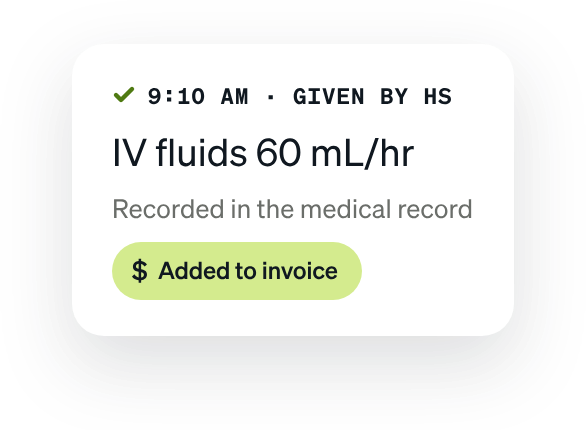
At 3 AM, nobody should have to wonder whether a dose was given
Your ICU has eight patients, three shifts, and dozens of treatments due before morning. The treatment app has logged the tech out again. The 2 AM dose is checked off in one system and missing from the other. And when the shift ends, someone has to re-type every treatment into the PIMS, hoping nothing gets billed twice, or not at all.
Missed treatments
If treatments are tracked in an app that’s separate from the medical record, it can be hard to tell whether a dose was given.
Double entry
If treatments are charted outside the PIMS, someone may have to re-type them, and mistakes can slip in.
Lost charges
If treatments aren’t added to the invoice automatically, it can be easy to miss some at checkout.
Messy handoffs
If the plan is written on a physical whiteboard, it can be hard to pass on every detail at a shift change.
Vetspire NOVA ends double entry, and the errors that come with it.
Whiteboard, treatment sheet, medical record, and invoice in one system. Every treatment given is recorded and billed in the same click.
Every patient on one screen, their full care one click away
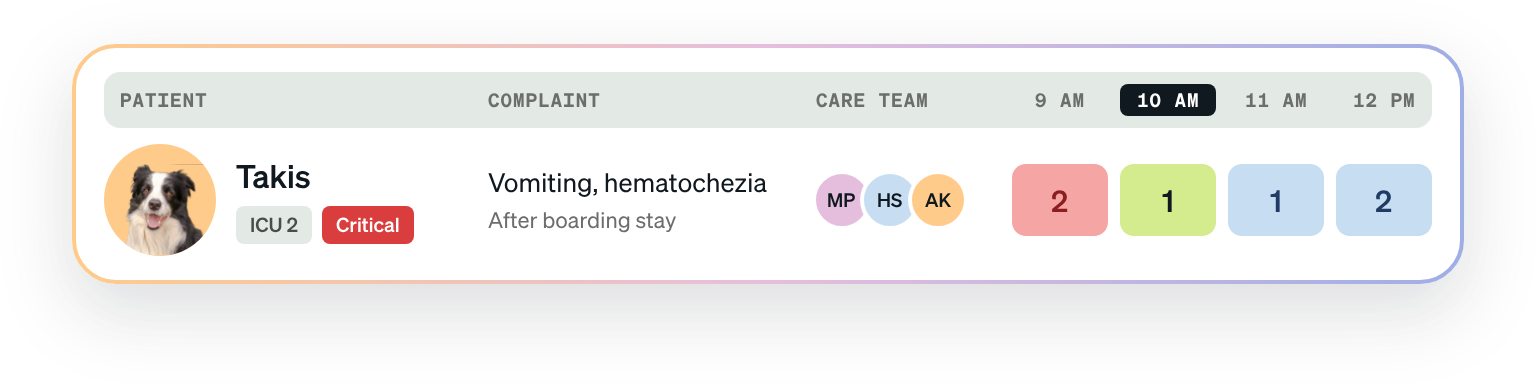
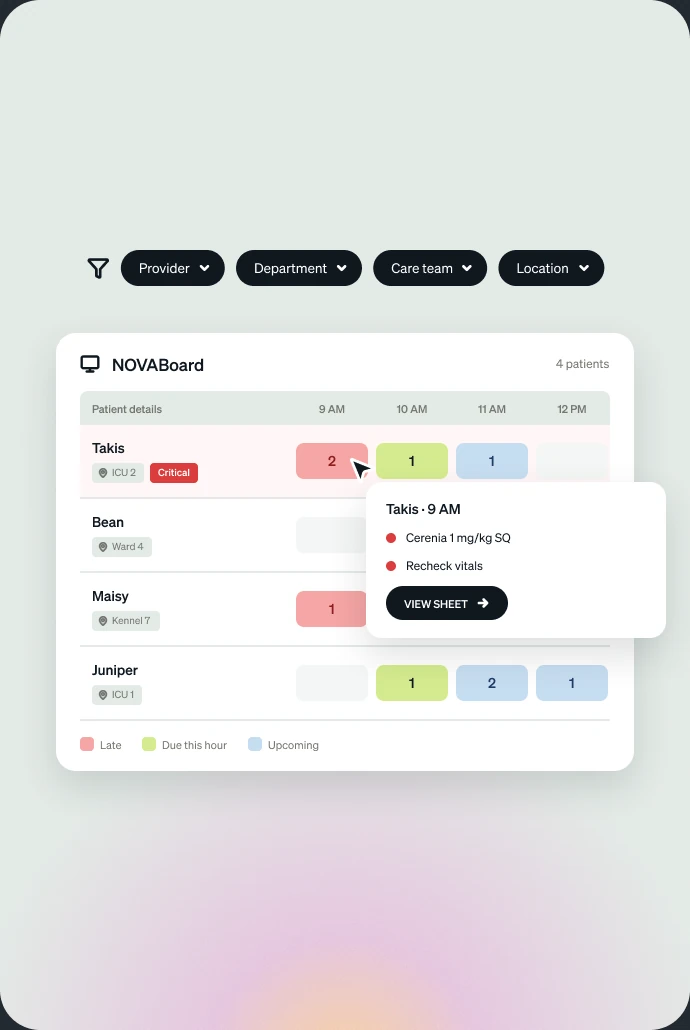
NOVABoard shows every hospitalized patient at a glance. Click a row and you're in that patient's NOVASheet, the full record of what's due, what's been given, and by whom.
A live whiteboard for the whole hospital
Put NOVABoard on the big screen and everyone sees every patient, their location, their care team and what's due next. Overdue and upcoming treatments are flagged.
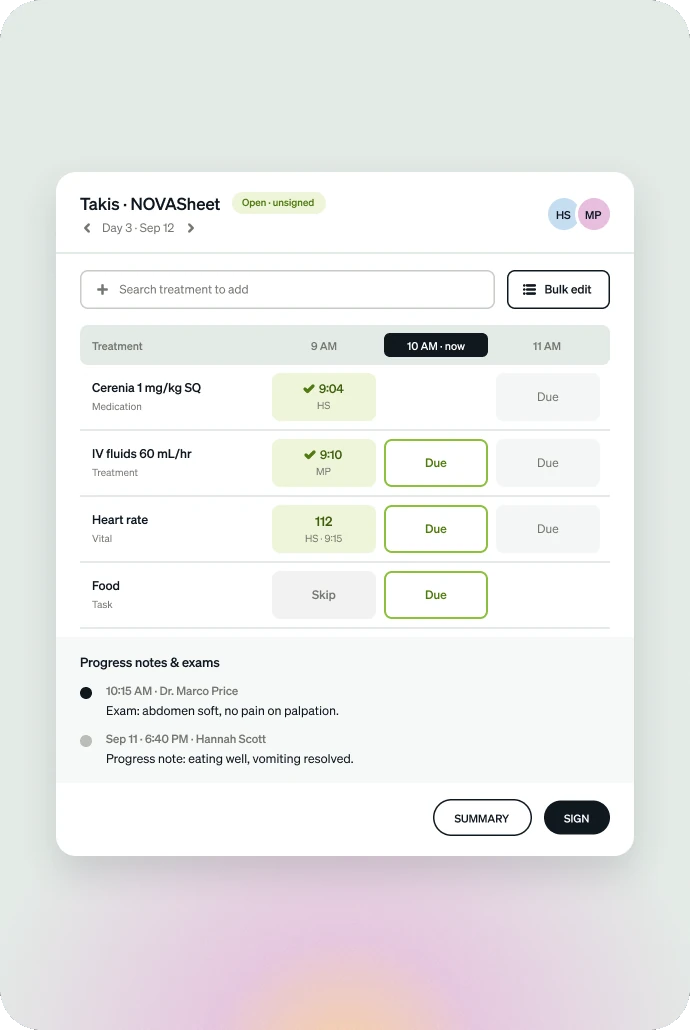
One electronic treatment sheet per patient, for the whole stay
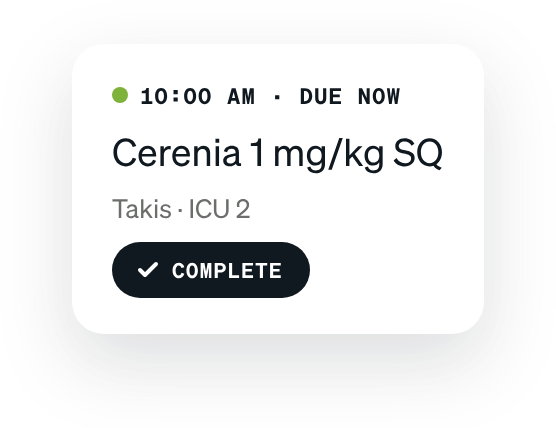
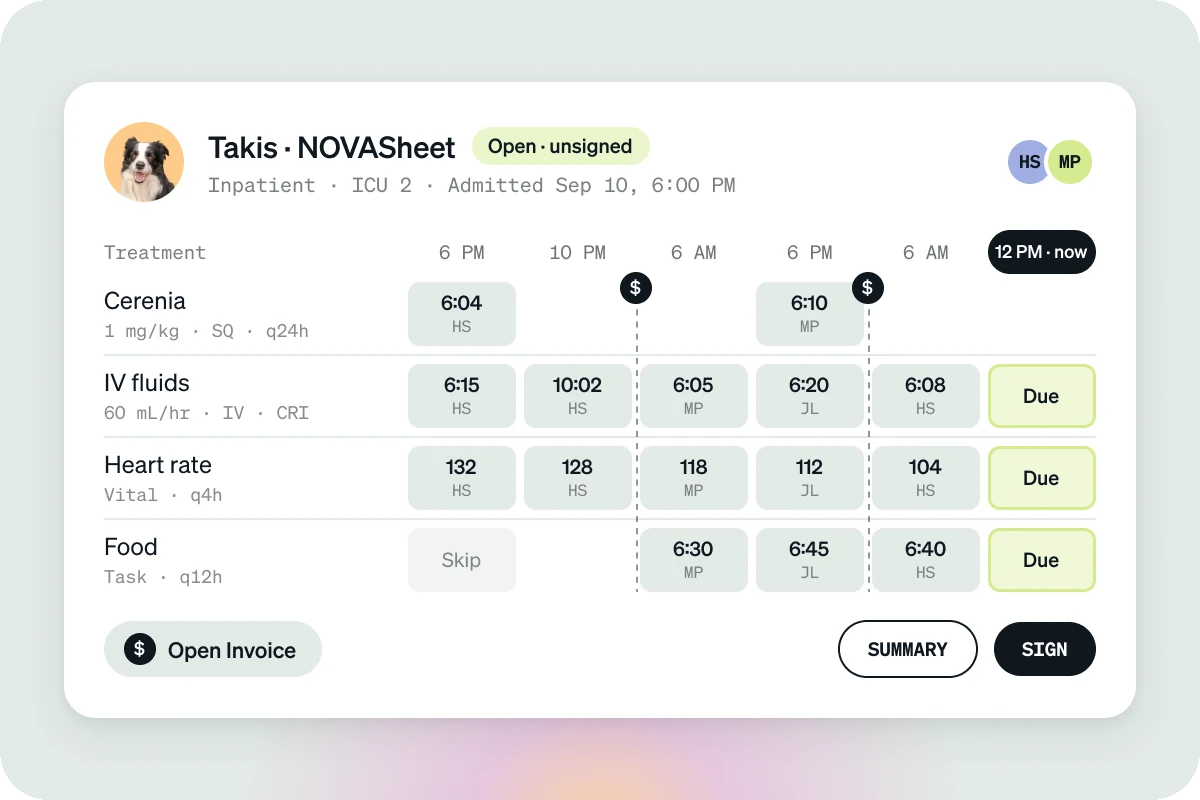
The doctor enters the plan; the team records each treatment as it's given, with time and name. A sheet can run for days, weeks or months.
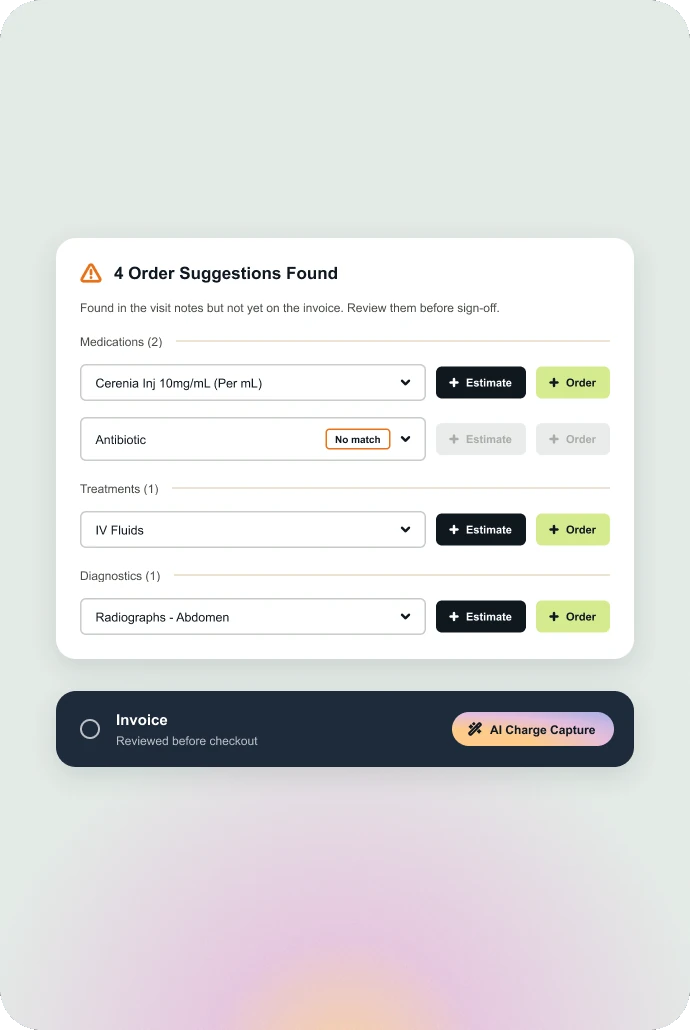
Treatments billed the moment they're given
When a treatment is marked as given, the charge goes straight onto the invoice. No billing team re-reading sheets at the end of the day.
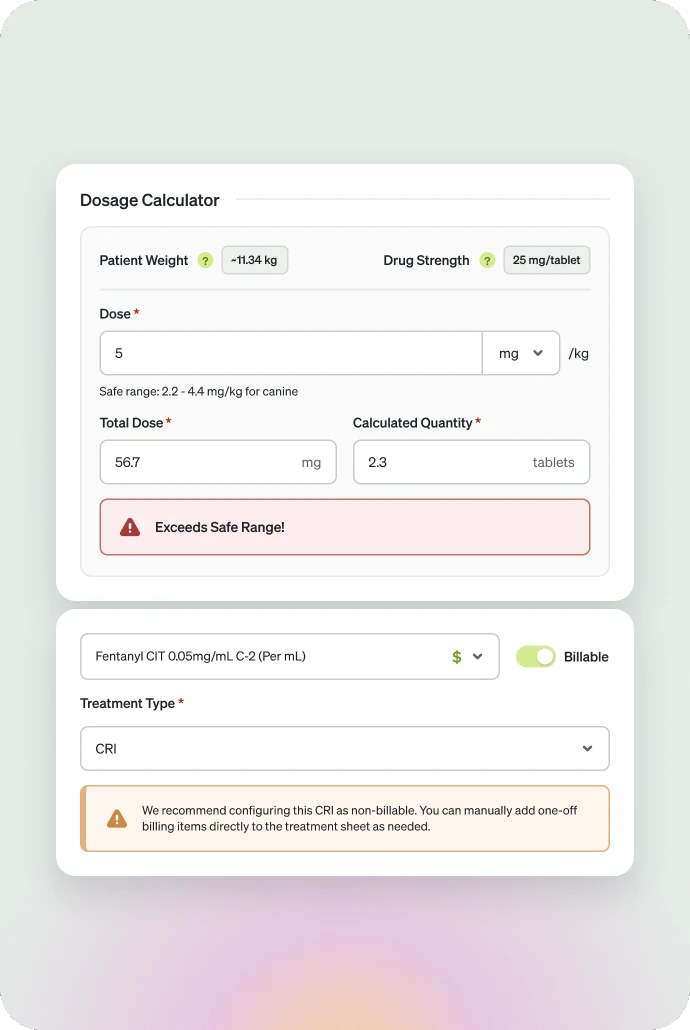
Doses calculated from the patient's weight
Built-in safety dosage calculators work out doses from current weight, including bolus doses and fluid additives.
Handoffs that keep the story and the charges straight
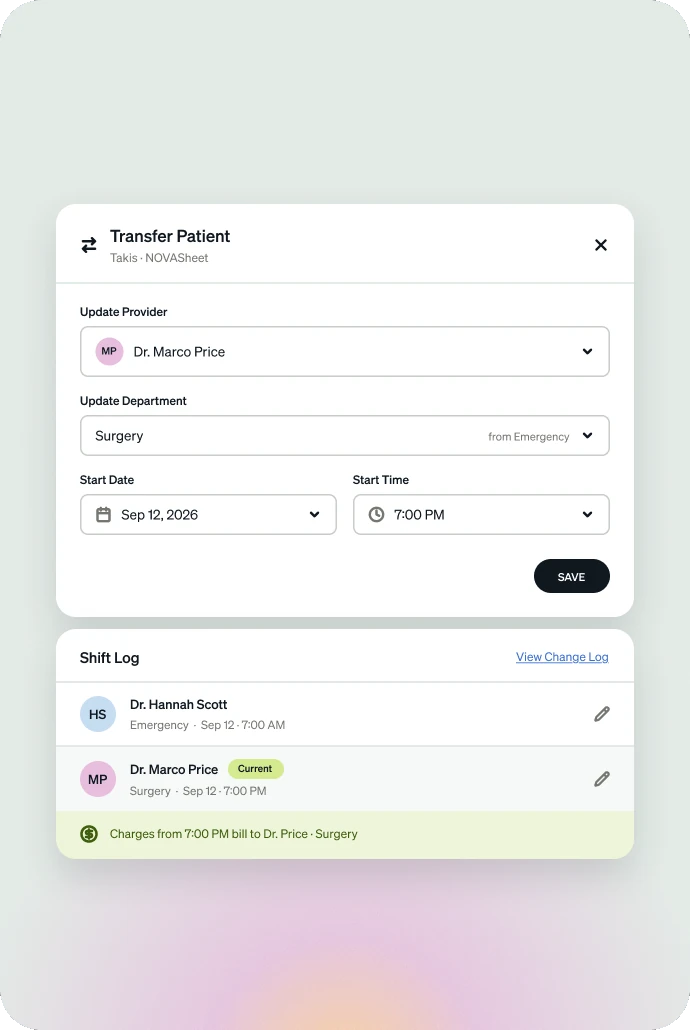
Move a patient from ER to surgery, or day shift to overnight, without losing a line. Pricing updates with the transfer.
Everyone knows their patients from the moment they walk in
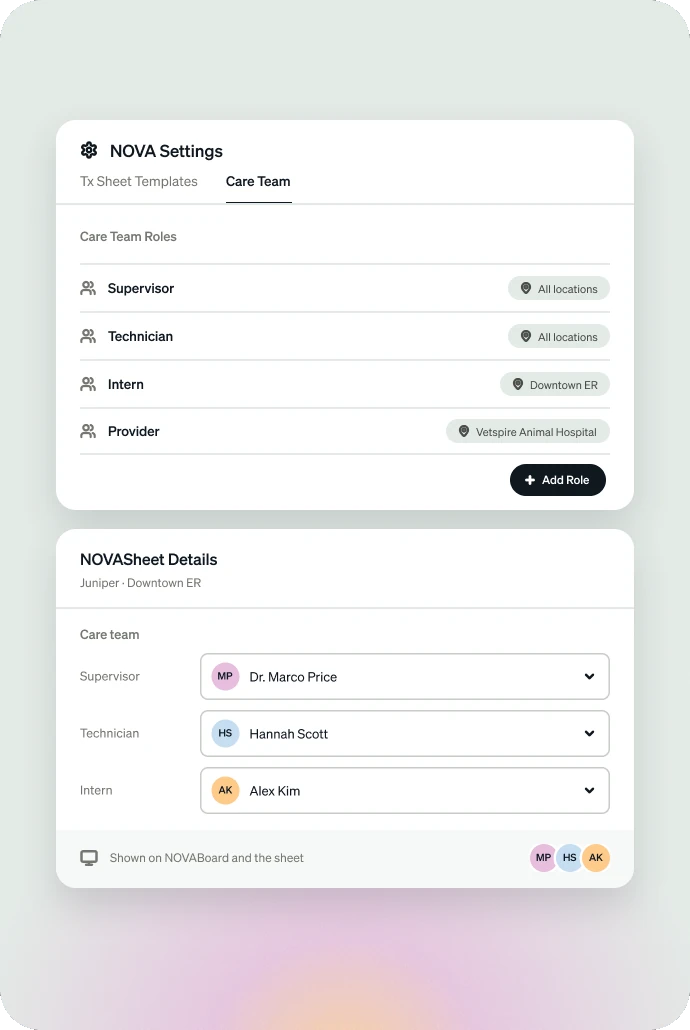
Define care team roles and assign staff to each patient. The board shows who is responsible for whom.
Track boarders with the same sheet
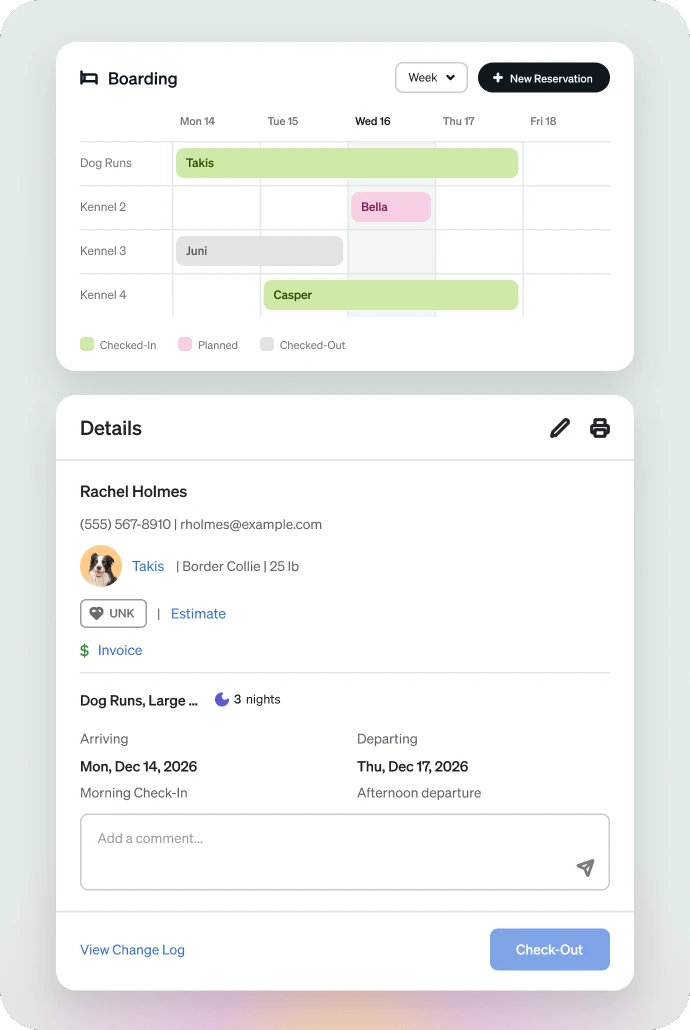
Pair NOVA with the Boarding module to log feeding, walks, urination and defecation, each timestamped. Boarding days invoiced in one click.
Build the plan in minutes
The doctor creates the NOVASheet from the patient’s chart and adds every treatment, with doses based on weight.
Track treatments at a glance
On the big screen, NOVABoard flags overdue and upcoming treatments, so techs can see what each patient needs from across the room.
Hand off without losing a line
Move the patient to the next shift or department, and their treatment plan, history, and billing go with them. Nothing to rewrite.
Capture all the charges
Each treatment is added to the invoice automatically when it’s marked as given, so nothing is missed at checkout.
Why a built-in treatment sheet beats a separate one
Most practice management systems make you buy a treatment sheet from another vendor, then someone in billing re-types every treatment into the PIMS. NOVA is part of the Vetspire PIMS and works from the same medical record, so the treatment, the record, and the charge are one entry.
Wherever patients are hospitalized, NOVA keeps track of their care
Emergency & urgent care
Many patients, every stage of care. The board on the big screen shows who needs what next.
Specialty hospitals
Critical and long-stay patients with dozens of treatments a day, on one sheet for the whole stay.
Teaching hospitals
Designed with veterinary teaching hospitals for multi-department care and rotating teams.
GPs with hospitalization or boarding
Overnight patients, post-op recovery and boarders on the same board, billed automatically.
Vetspire NOVA is the electronic treatment sheet and whiteboard built into Vetspire, a cloud-based veterinary practice management system (PIMS). NOVA has two parts: NOVABoard, a live whiteboard showing every hospitalized patient, and NOVASheets, the individual treatment sheet for each patient. Because NOVA runs inside the medical record, every treatment given is documented and added to the invoice in the same step.
A veterinary whiteboard gives an overview of all hospitalized patients, while a treatment sheet holds the full detail for one patient. In Vetspire NOVA, the whiteboard (NOVABoard) shows each patient's location, care team and next due treatment. Clicking a patient on NOVABoard opens their treatment sheet (NOVASheet), which lists every treatment, dose, time and the staff member who gave it.
Yes, Vetspire NOVA replaces the dry-erase veterinary whiteboard with NOVABoard, a live electronic whiteboard of every patient with an active treatment sheet. Each patient's due and overdue treatments are color-coded by the hour: red for late, green for due this hour and blue for upcoming. Patients marked as in critical condition carry a Critical badge, so they stand out on the board right away. Because NOVABoard updates in real time from each patient's treatment sheet, nobody has to wipe and rewrite the board at shift change.
Yes, a NOVASheet, the Vetspire NOVA veterinary hospitalization sheet, can be set to an inpatient or outpatient visit type, and the patient's row on NOVABoard shows which one applies. The same sheet works whether a patient is hospitalized for a few hours or several weeks, and it holds every scheduled treatment, who gave it and when.
No, Vetspire practices do not need a separate treatment sheet app. NOVA, Vetspire's electronic whiteboard and treatment sheet, is part of the Vetspire practice management system, so there is no second vendor, login or integration to manage. Treatments recorded in NOVA flow directly into the patient's medical record and invoice.
In Vetspire NOVA, the veterinarian builds a hospitalized patient's treatment plan on their NOVASheet by adding each medication, fluid, check and care task with its schedule. Hospital admins can set up NOVA templates in advance, so common treatments are quick to add. As the team gives each treatment, they mark it complete on the sheet and the charge goes onto the patient's invoice. Client estimates are created separately, from the Estimates tab of the encounter.
Vetspire NOVA bills treatments automatically. When a team member marks a treatment as given on a patient's NOVASheet, the matching charge is added to that patient's invoice at the same moment. Nobody has to re-enter charges from the treatment sheet into the practice management system, which prevents missed charges and billing errors.
Yes, Vetspire NOVA includes safety dosage calculators on the treatment sheet. The calculators work out doses from the patient's current weight in the Vetspire record, including bolus doses and fluid additives. This reduces manual calculations and the risk of dosing errors during busy or overnight shifts.
Yes, many hospitals display NOVABoard, the Vetspire NOVA whiteboard, on a large screen in the treatment area. The board shows every hospitalized patient and flags treatments that are overdue or coming up, so the whole team can see what needs to happen next from across the room. Columns and filters can be set for each department or shift.
Yes, teams can configure NOVABoard, the Vetspire NOVA electronic whiteboard, to show the information they need. Staff can hide, show, reorder and resize the information columns, sort patients alphabetically and pin patients to the top of the board. Filters narrow the board by provider, department, care team, patient location or visit type, or show only patients marked as ready for discharge.
Vetspire NOVA is built for veterinary hospitals where patients stay and need frequent treatments, including emergency hospitals, urgent care hospitals, specialty hospitals and university teaching hospitals. General practices that hospitalize patients overnight, manage post-surgical recovery or offer boarding also use NOVA to track care and billing.
A Vetspire NOVA treatment sheet stays open for as long as the patient is hospitalized, whether that is a few hours, several weeks or several months. This keeps the patient's entire stay in one record. Each patient can have only one active, unsigned NOVASheet at a time, which prevents duplicate or conflicting versions.
In Vetspire NOVA, a patient transfer moves the patient to a new department, provider or shift without losing any part of the treatment plan. The plan and treatment history stay with the patient, billing attribution and pricing update to the new department and provider, and the transfer is timestamped in the patient's history log.
Yes, Vetspire NOVA can track boarding animals when used with the Vetspire Boarding module. Staff log care tasks such as feeding, walks, urination and defecation on the same treatment sheet used for medical patients, with the time each task happened. The daily boarding charge is added to the invoice in one click.
Yes, the Vetspire practice management system (PIMS) includes veterinary anesthesia monitoring in surgical, anesthesia and dental encounters. The team starts a surgical timer when the procedure begins, and every five minutes Vetspire highlights the next column and plays a sound to prompt the next vitals reading. Vetspire turns the readings into a trend graph, and a separate IV fluids section tracks fluid types and changes during the procedure. Each practice can configure which vitals the monitoring section records. Anesthesia monitoring is part of the Vetspire PIMS rather than Vetspire NOVA, and both work from the same patient record.
Give your team a live view of every patient in their care
Changing how your hospital tracks care is a big step, and we'd love to help you think it through. Book a demo and we'll show you how Vetspire NOVA could fit the way your team already works.