

Veterinary AI built right into your PIMS
You give your day to patients and the people who love them. Vetspire AI takes care of the paperwork around them. It’s a full suite of native AI tools for every part of the visit, built into your PIMS and working right inside the medical record.


Your workday should end when the clinic closes
You became a vet for the patients. Then the last appointment ends and the second shift begins: SOAP notes, discharges, treatment sheets, charges you can't afford to miss. Another two hours at the computer while dinner goes cold and your own dog waits by the door. Vetspire AI does that work during the visit, so you go home when the clinic closes.
back per doctor, every day.
Thrive's doctors started at one to two hours saved a day with the AI Scribe. Some now report two to three.

Every AI tool for vets, in one place
The work goes well beyond the SOAP note. There's the referral file nobody has time to read, the discharge a worried client needs to understand, the charge that slips through at the end of a long day. Vetspire's AI helps with all of it, from the same patient record, so your attention can stay on the patient in front of you. Pick a tool to see how it helps.
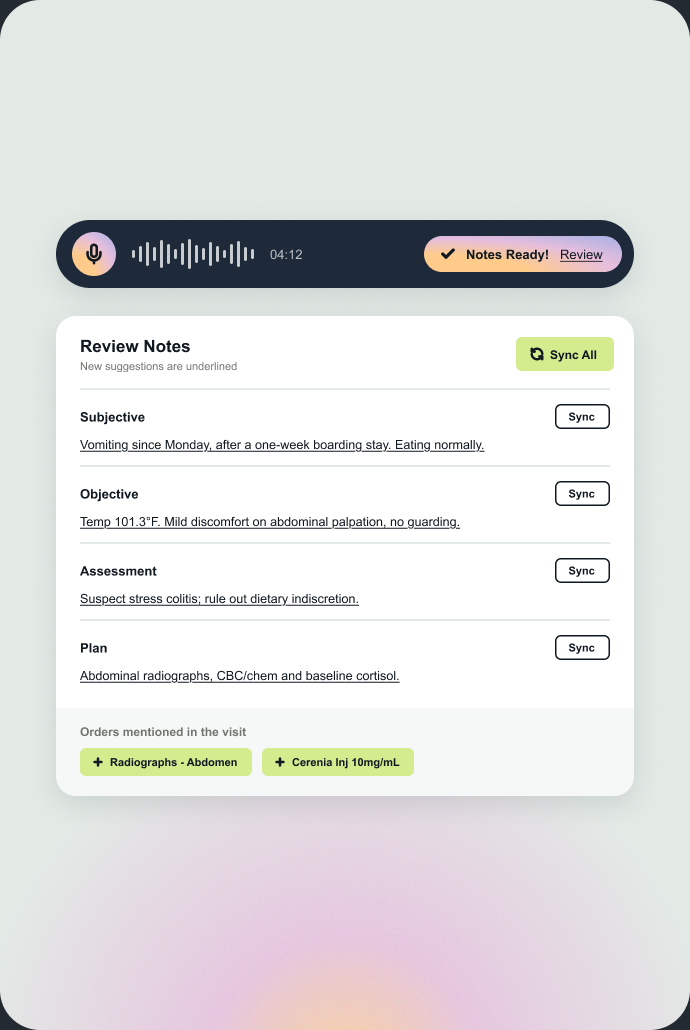
Vet AI Scribe: SOAP notes written from the exam-room conversation
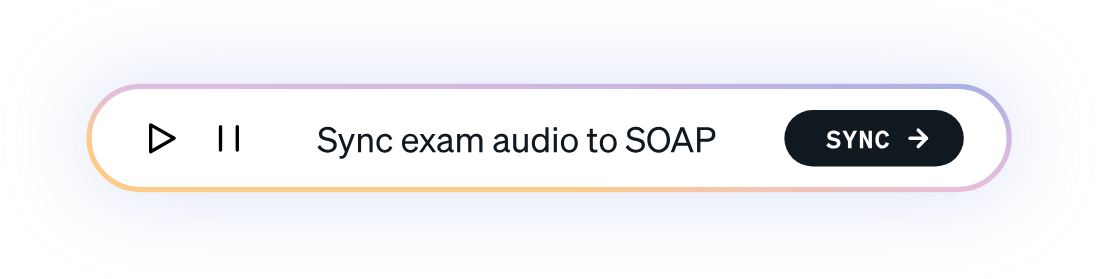
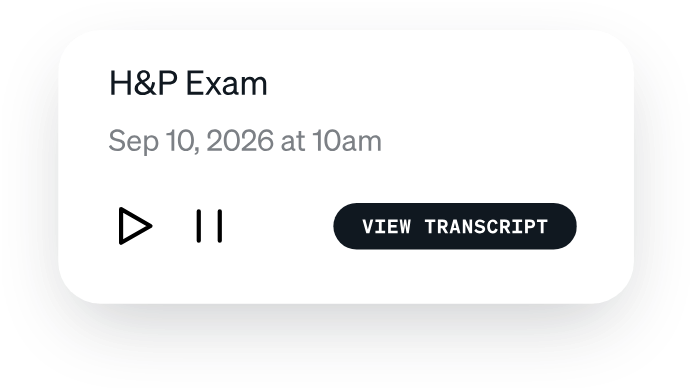
Record the visit on iPhone, iPad or the web, and the AI Scribe writes a structured SOAP note in real time, straight into the medical record. No typing during the exam, and no copying notes over from another app.
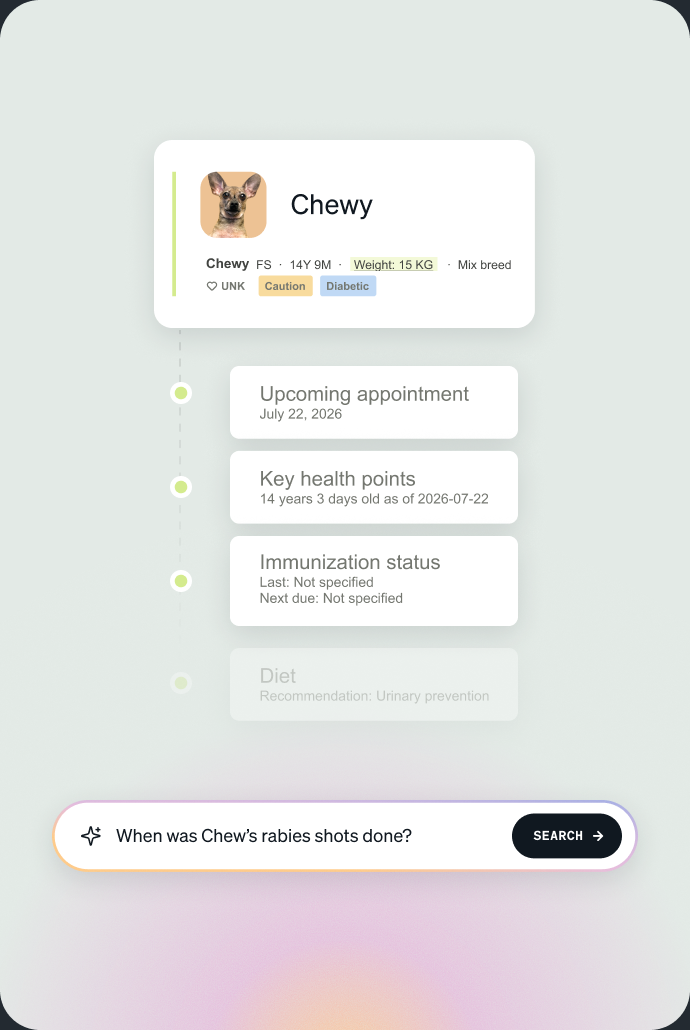
AI Patient Summary: a patient's full history at a glance
See recent visits, current medications, allergies, lab results and conditions in one summary, without reading every previous note. Chat with it to find anything else in the chart.
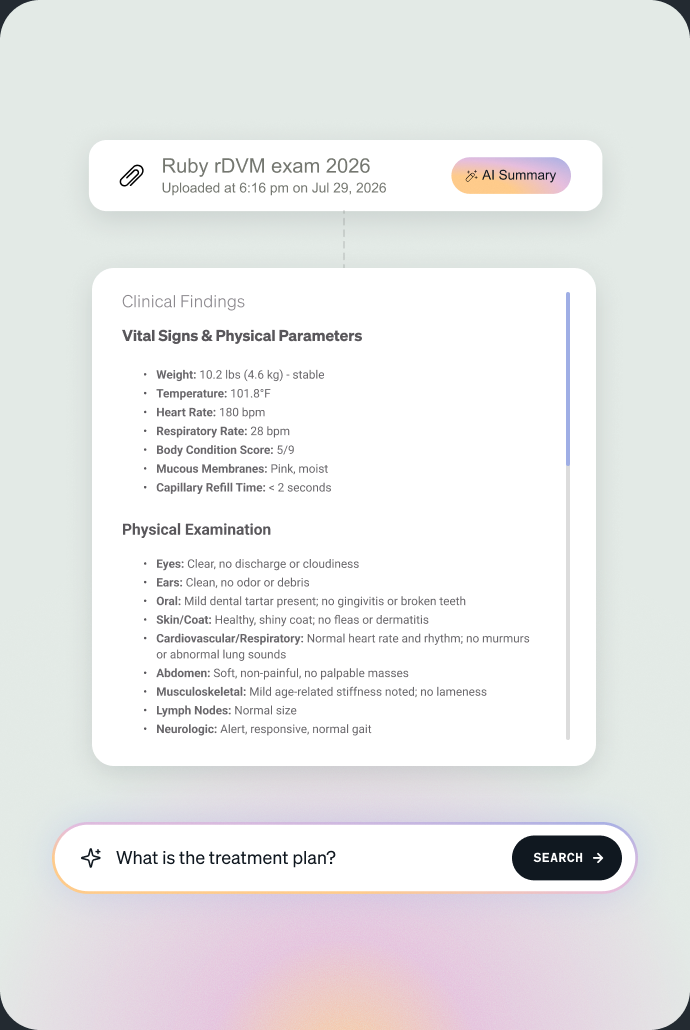
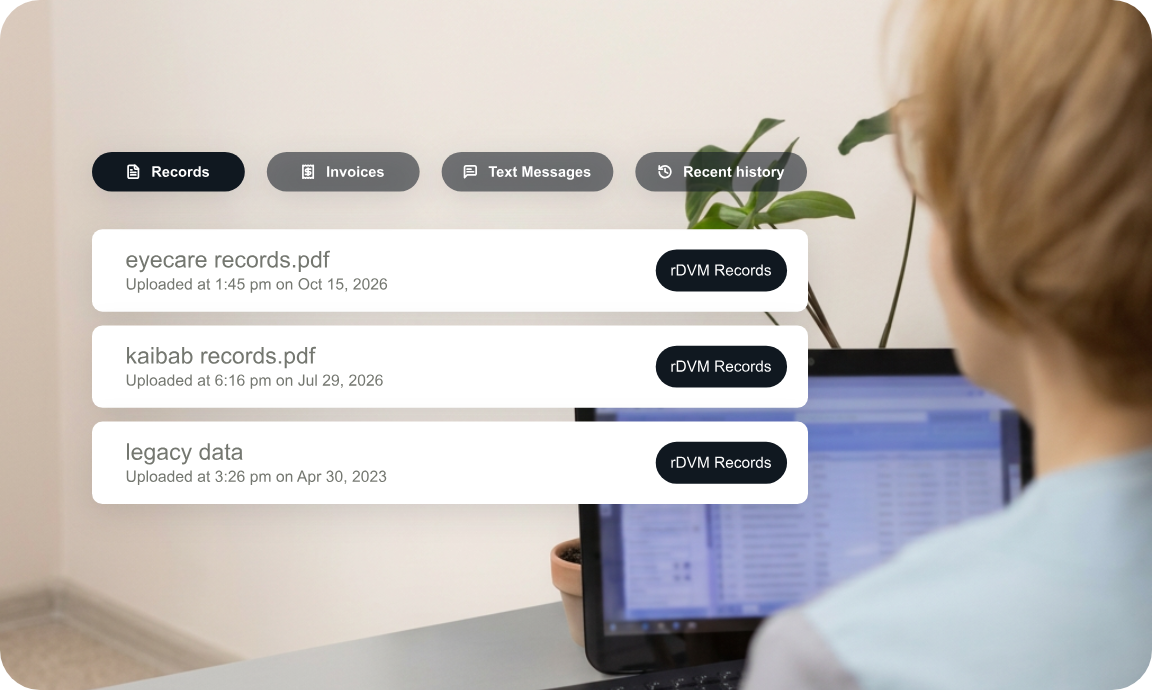
AI PDF Summarization: outside records, summarized in one click
Upload referral records, lab reports or photos of paper charts and get the key patient details in seconds. Ask questions about the file to find what you need.
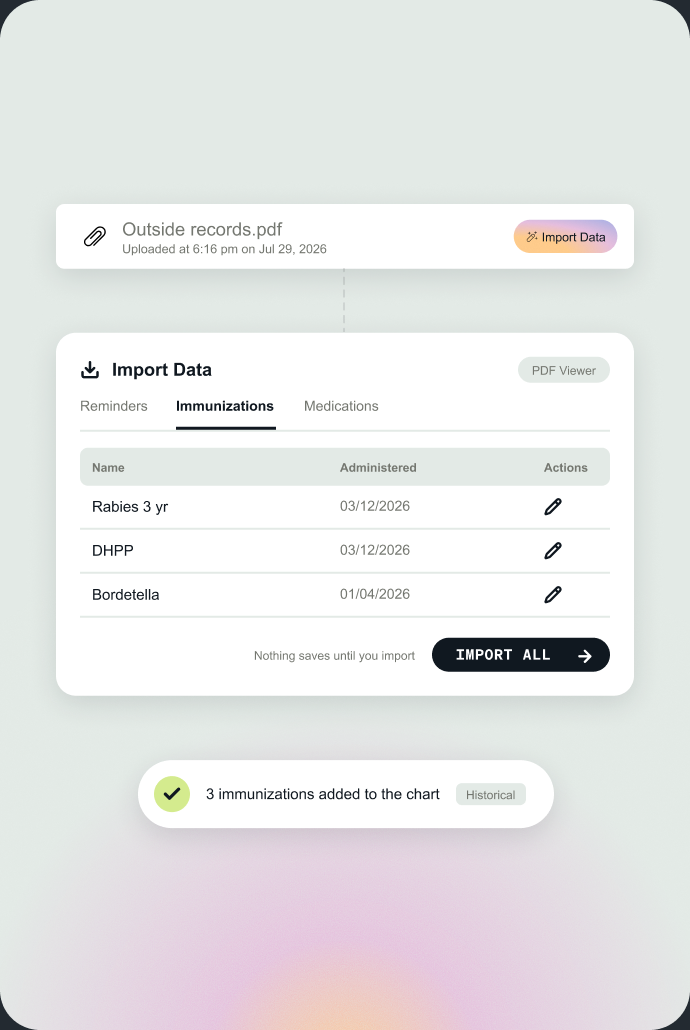
AI Import: outside records turned into chart entries
Pull medications, vaccines and reminders from summarized documents straight into the patient's record. Your team reviews and confirms before anything is saved.
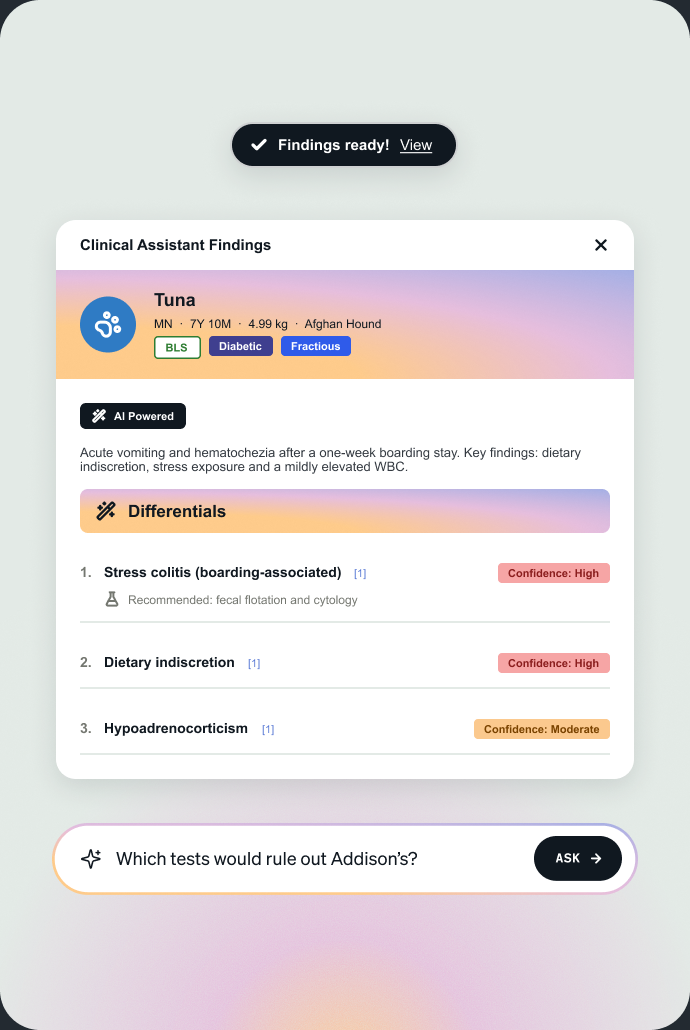
AI Clinical Assistant: differentials grounded in the patient's record
Get ranked differential diagnoses from the exam notes, with confidence levels, source links and recommended tests. You see the reasoning, and the clinical decision stays yours.
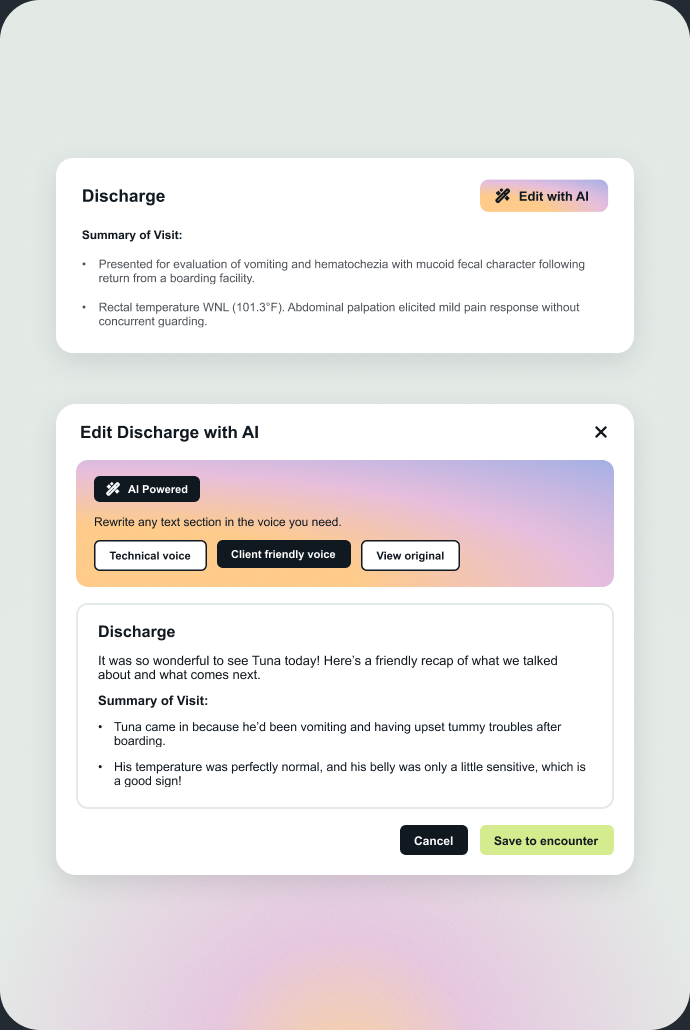
Edit with AI: clinical notes rewritten in one click
Turn clinical notes into a clear, consistent medical record or a client-friendly discharge summary. Clients get instructions they understand, and your records stay complete.
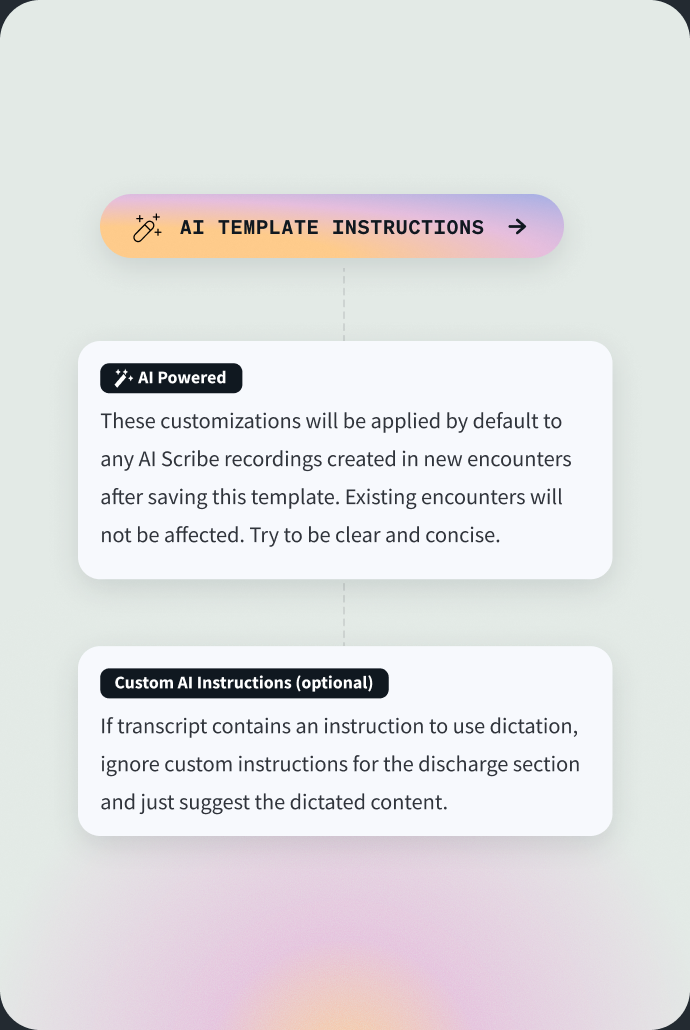
AI Admin Encounters: templates with instructions for consistent records
Add AI instructions to each section of your encounter templates, test them before rollout, and apply them to one clinic or the whole group.
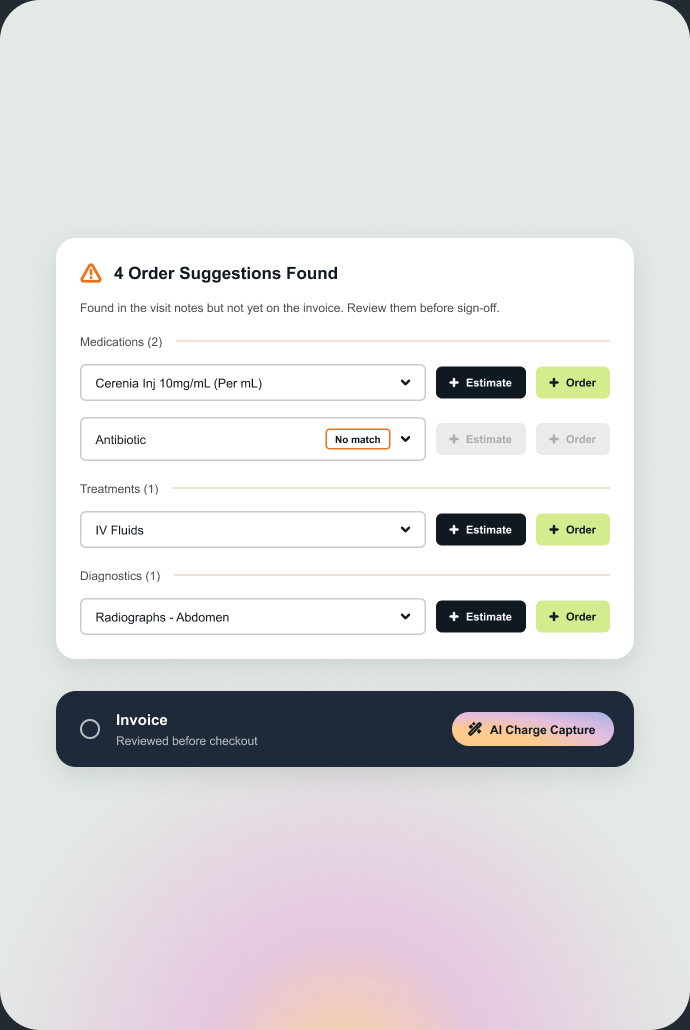
AI Charge Capture: flag missed charges before invoicing
AI Charge Capture compares what was documented during the visit with what's on the invoice, and flags anything that may be missing so your team can review it before checkout.
Lighten the load at every step of the visit
The AI shows up where the work already happens, right when you need it. There's no extra app to open and nothing left to finish tonight, and you're still the one who decides what goes in the record.
Walk in already knowing the patient
No more skimming years of notes in the hallway. AI Summary shows recent visits, meds, allergies and conditions at a glance, even from a new patient's referral file.
Keep your eyes on the pet and their person
Tap record and just talk. The AI Scribe listens, knows who said what, and leaves the chat about the weekend out of the medical record.
Finish the record before the next patient
The SOAP note is drafted by the time you step out. Review it, add the orders you talked about in one click, and ask the Clinical Assistant for a second opinion.
Send clients home understanding the plan
Edit with AI turns your notes into a discharge clients can actually follow. Need a referral letter? It's drafted from the patient's history. Sign, share, and you're done.
Why built-in AI gives you more time back than an add-on
Another app sounds like help, until you're pasting a note into the chart section by section at the end of a long day, hoping nothing got lost. Add-on scribes only hear the conversation in the room and live behind another login. Vetspire's AI lives inside the medical record, so the work is done once, in one place, and done right.
Set your own AI standard across every location
If you want every location working the same way, decide once how AI writes your records and apply it everywhere. Then see how each location is using it.
One AI standard
Set how the AI writes notes and discharges for all your locations.
Test playground
Preview changes on a real conversation before rollout.
Usage analytics
See which locations use the AI and how often.
Vetspire AI is a suite of AI tools built into Vetspire, a cloud-based veterinary practice management system (PIMS). Every tool works from the patient’s medical record, using the full history and saving its results straight to the chart, so nothing has to be copied between apps. Together, the tools support documentation, record review and clinical decisions across the whole visit, and doctors report saving two to three hours a day.
No. The Vet AI Scribe is one tool in the Vetspire AI suite. The other AI tools summarize a patient’s history, summarize outside records such as referral PDFs, import medications, vaccines and reminders into the chart, suggest differential diagnoses, rewrite notes into client-friendly discharge summaries, and flag possible missed charges before invoicing.
A third-party AI scribe runs as a separate app next to the practice management system. Staff usually copy its notes into the medical record by hand, and the scribe only knows what was said during the visit. Vetspire AI runs inside the encounter in Vetspire, so notes save directly into the right fields of the record, and every tool can use the patient’s full history.
The Vetspire AI Scribe identifies who is speaking and labels each part of the transcript as vet or client. Findings stated by the vet go into the exam and assessment sections of the SOAP note. Information reported by the client goes into the history. Conversation that isn’t medically relevant, such as small talk, is left out of the medical record.
No. Vetspire AI drafts notes, summarizes records and suggests options, and the veterinarian makes every clinical decision. Vets review and edit each note before saving it, and approve each suggested order. When the AI Clinical Assistant suggests differential diagnoses, it shows a confidence level, source links and recommended tests for each one, so the vet can check the reasoning.
Everything Vetspire AI produces is a draft that your team reviews and can edit before it’s saved to the record. Staff also review data from AI Import before it’s added to the chart. The AI Scribe separates vet and client speech and leaves small talk out of the record, which reduces the corrections needed. Admins can refine the AI’s instructions for each template section and test changes on a real conversation before rolling them out.
Vetspire AI is part of Vetspire, so your team uses it in the same platform where your medical records are stored, without pasting client records into separate AI apps.
Yes. Upload a PDF or a photo of paper records from another clinic, and AI PDF Summarization creates a summary of the key patient details. AI Import can then add the medications, vaccines and reminders from that document to the patient’s chart once your team has reviewed them. Your team can also ask the AI Clinical Assistant questions about the uploaded records.
The Vetspire AI Scribe works on iPhone, iPad and web browsers. Your team can record in the exam room, the treatment area or at curbside, and the note syncs directly to the patient’s encounter in Vetspire.
Yes. With AI Admin Encounters, admins add AI instructions to each section of an encounter template, such as what to include in the exam findings or the tone of discharge instructions. Groups can set these instructions centrally for all locations and test changes on a real conversation before rolling them out. Edit with AI can also rewrite any note as a client-friendly summary.
Vetspire AI is available to every type of practice that runs on Vetspire: general practice, urgent care, emergency, specialty practices and hospitals, and equine and large animal practices. It works the same way for a single-location clinic and a multi-location group, and groups can set AI instructions centrally so every location documents to the same standard.
Vetspire AI is built into the screens your team already uses in Vetspire, so there’s no separate app to learn. Starting the AI Scribe takes one tap, and reviewing the note happens in the patient’s encounter. Vetspire’s implementation team helps set up templates and train staff when practices get started.
See what your day could look like with Vetspire
Book a demo with people who've worked in veterinary practice and know what a long day feels like. We'll walk through a real visit, from the first look at the chart to the signed note, and answer every question you have about accuracy and data.